
Work Effort
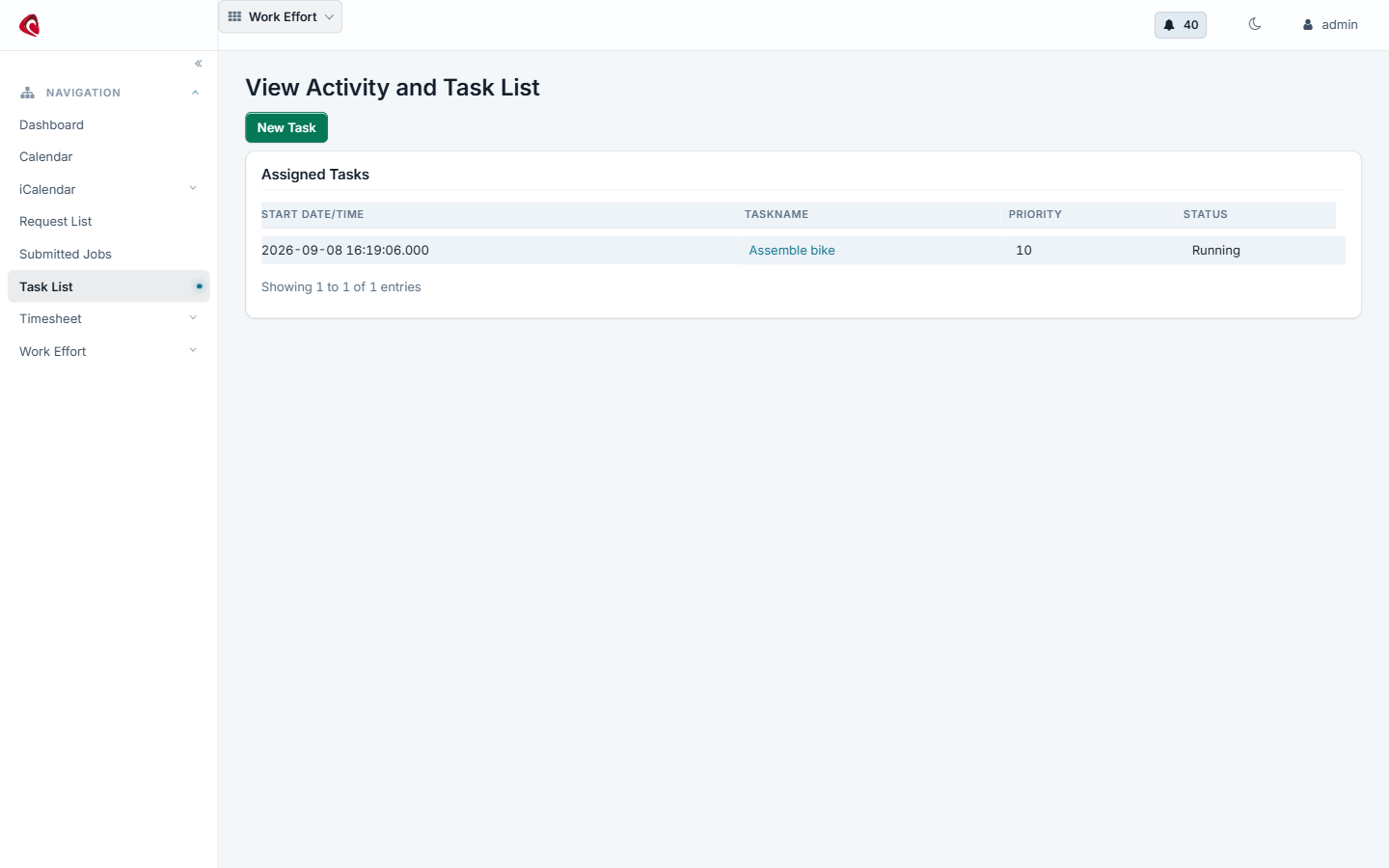
The activity and task list: what is assigned to the signed-in user, with its status, its dates and the effort it belongs to.
A work effort is any piece of work the system needs to remember. That is a wider idea than a task list, and it is on purpose: the same record type carries
- a task and the project above it,
- an event in a calendar,
- a maintenance job on a fixed asset,
- a production task on the shop floor.
One model, so one screen shows a person’s day whichever application created the work. The calendar reads these records. So does asset maintenance , and so does manufacturing , where a production run is a work effort and its tasks are children of it.
The parts#
Assignment. A work effort is assigned to a party, to a fixed asset or to both: the welder and the welding robot are both assigned to the same task. An assignment carries its own status, so you see who accepted and who has not.
Association. Work efforts relate to each other. A project holds its tasks, a task depends on another task, a production run holds its operations.
Status. Created, scheduled, running, completed, cancelled. The status is what the dashboards count.
Time. A time entry books hours against a work effort. Time entries collect in a timesheet, the timesheet is approved, and an approved timesheet becomes an invoice line in the accounting application . That is how billable project work reaches a customer invoice.
Content and notes. A work effort carries notes and attached documents, so the drawing sits on the task that needs it.
Do it with an agent#
Work efforts ship an MCP server. Point your agent at the work effort webapp and it plans the work, assigns it and books the time.
claude mcp add --transport http scipio-workeffort "https://<host>/workeffort/mcp" --header "Authorization: Bearer <token>"One tool carries the application. Every call names the tool and one action.
task—create,update,get,find,set_status,assign,assignment_update,assoc_add,note_create,note_update,event_reminder_add,content_attach,request_create,timesheet_create,timesheet_set_status,timesheet_to_invoice,time_entry_create,time_entry_update.
Plan a small project#
“Make a project called Line B rebuild with four tasks, put them in order and assign the first one to the maintenance team.”
The agent calls task:create five times, task:assoc_add to hang the tasks
under the project and to chain them, then task:assign.
Book the week and bill it#
“Book eight hours on the rebuild for Monday to Thursday, close my timesheet and turn it into an invoice line for the customer.”
The agent calls task:time_entry_create per day, task:timesheet_create,
task:timesheet_set_status and task:timesheet_to_invoice. The last call
writes into accounting, so it is a confirmed call.
Keep the drawing with the job#
“Attach the revised drawing to the welding task and tell the team it changed.”
The agent calls task:content_attach and task:note_create. The file itself
is a content record, so the
content application
holds it.
The token is a user login. The agent does what that user may do, and nothing more. Every call writes one audit row. Read the security model before you hand a token out.