
Setup
The setup application turns an empty install into a working company. It asks for the organization, the accounting, the warehouse, the catalog, the store, the users and the taxes, in that order, and it tells you at every step what is still missing.
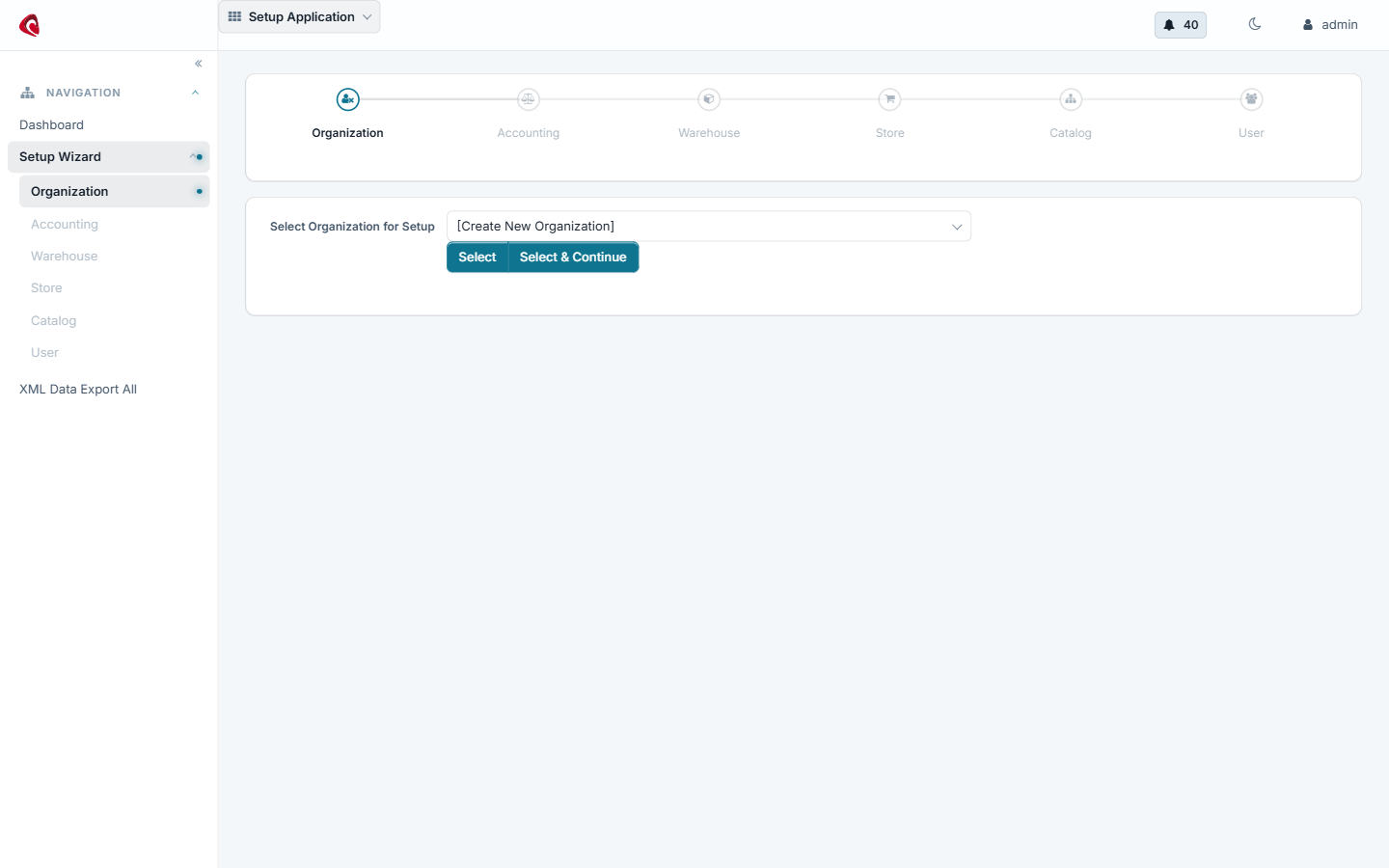
The first step of the setup application: the organization. Every later step hangs off the company you create here.
A fresh Scipio ERP install has a framework, a data model and no company. The setup application walks the distance between the two. It is the first screen you open after the first start, and it is worth opening again later, because it also reports what an existing install is still missing.
The steps run in order, because each one needs the one before it:
- Organization — the company itself, its address and its currency.
- Accounting — the chart of accounts, the fiscal periods and the payment methods the company uses.
- Facility — the warehouse, its locations and its address.
- Catalog — the catalog, the top categories and the first products.
- Store — the web store, the catalog it shows, the shipping methods and the payment providers.
- User — the people who work in the system and what they may do.
- Tax authority — the authorities that apply and their rates.
The checklist is the part to know. It reads the install and answers with the steps that are complete, the steps that are open and the reason each open step is open. Use it after a data import, after a restore and before a go-live.
Do it with an agent#
Setup ships an MCP server. Point your agent at the setup webapp and it can set a company up, or tell you what is missing in the one you have.
claude mcp add --transport http scipio-setup "https://<host>/setup/mcp" --header "Authorization: Bearer <token>"One tool carries the application. Every call names the tool and one action.
setup—checklist,status,organization,accounting,facility,catalog,store,store_create,store_get,store_update,user,tax_authority,payment_provider_connect.
Set a company up from empty#
“Set up a company called Northwind Bikes in Germany, with one warehouse in Hamburg, a euro chart of accounts and one web store.”
The agent calls setup:organization, setup:accounting, setup:facility,
setup:catalog and setup:store_create, in that order, and reads each answer
back before it goes on. Each step is a confirmed call.
Ask what is missing#
“What is this install still missing before we can sell?”
The agent calls setup:checklist and setup:status. The answer names the open
step and the reason, for example a store with no payment provider.
Connect a payment provider#
“Connect Stripe to the SCIPIO Shop store with these keys.”
The agent calls setup:payment_provider_connect. Keys are secrets: hand them
over in the confirmation step, not in the prompt you type into a shared
window.
The token is a user login. The agent does what that user may do, and nothing more. Every call writes one audit row. Read the security model before you hand a token out.